How Authors Can Use a Media Kit or Book One-Sheet to Promote Their Book
Authors are often asked to send information about their book to podcast hosts, journalists, reviewers, bookstores, libraries, event organizers, book clubs, and potential interviewers.
Without a professional media kit or book one-sheet, that information may be scattered across emails, websites, retailer listings, social media profiles, and old documents.
A well-designed media kit brings the most important information together in one polished, convenient resource. It helps media professionals and industry contacts quickly understand the book, the author, and the promotional opportunities available.
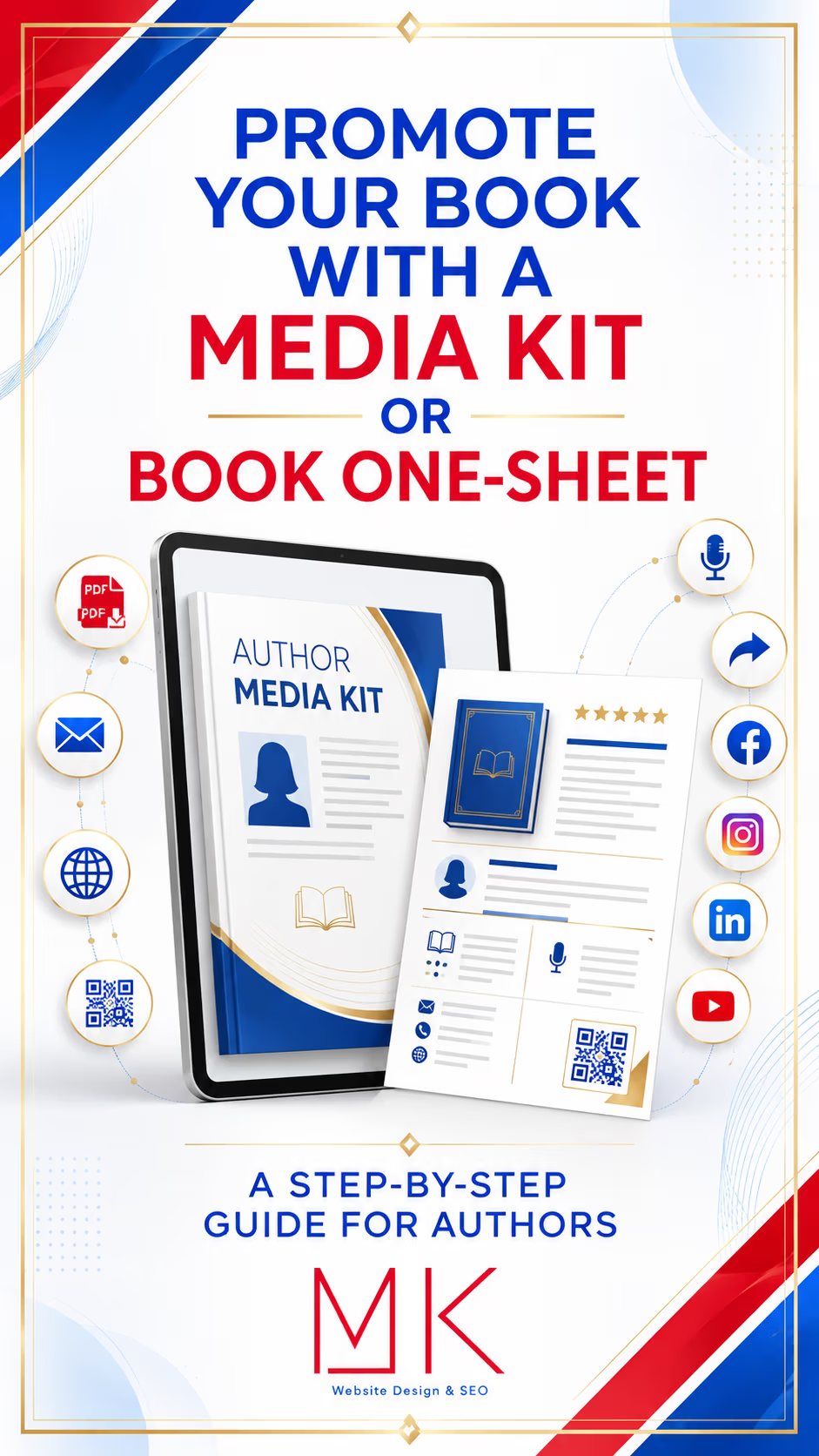
In this step-by-step guide, MK Marketing explains what to include in an author media kit or book one-sheet, how to use it as part of a book-marketing campaign, and where to post and share it after it has been created.
What Is an Author Media Kit?
An author media kit—sometimes called a press kit—is a collection of professionally organized promotional materials about an author and their book.
It is designed to help journalists, podcast hosts, bloggers, reviewers, bookstores, libraries, event organizers, and other media contacts quickly find accurate information.
A complete media kit may include:
- Book cover
- Book title and subtitle
- Author’s name
- Book description
- Author biography
- Author photograph
- Book specifications
- ISBN
- Publication date
- Publisher
- Available formats
- Purchase links
- Editorial reviews
- Awards and recognition
- Interview topics
- Suggested interview questions
- Speaking topics
- Press coverage
- Social media links
- Book trailer link
- Contact information
A full media kit may contain several pages, depending on the author’s experience, the number of books being promoted, and the goals of the campaign.
What Is a Book One-Sheet?
A book one-sheet is a concise, one-page promotional overview of a book.
It provides the essential information someone needs to understand and consider the book without reviewing a complete media kit.
A book one-sheet commonly includes:
- Book cover
- Title and author
- Short description
- Genre
- Book specifications
- ISBN
- Publication date
- Editorial review or endorsement
- Author biography
- Author photograph
- Purchase information
- Website
- Contact information
A one-sheet should be visually appealing and easy to scan. Its purpose is to communicate the strongest selling points quickly.
What Is the Difference Between a Media Kit and a Book One-Sheet?
A book one-sheet is ideal when someone needs a fast overview. A media kit provides more complete information and a wider collection of promotional assets.
Authors can use a one-sheet for:
- Bookstore outreach
- Library outreach
- Book signings
- Book-club pitches
- Reviewer outreach
- Event proposals
- Sales meetings
- Conference materials
- Direct mail
- Quick email introductions
A full media kit is more useful for:
- Podcast interviews
- Newspaper and magazine features
- Radio or television interviews
- Virtual book tours
- Speaking engagements
- Literary events
- Public-relations campaigns
- Media outreach
- Detailed partnership proposals
Many authors benefit from having both. The one-sheet can introduce the book, while the complete media kit provides supporting details when someone wants to learn more.
Why Authors Need a Professional Media Kit
A professional media kit makes it easier for other people to promote the book accurately.
Instead of asking an interviewer or journalist to search for information, the author provides the details in a convenient format.
A strong media kit can help an author:
- Make a professional first impression
- Present a consistent brand
- Secure podcast and media interviews
- Pitch bookstores and libraries
- Support book-signing requests
- Attract book clubs
- Participate in virtual book tours
- Provide accurate book information
- Promote speaking opportunities
- Save time when responding to inquiries
- Make content easier for others to share
- Establish credibility and authority
A media kit cannot guarantee an interview, review, or event. However, it removes unnecessary work for the recipient and makes it easier to evaluate the opportunity.
Step 1: Identify the Purpose and Audience
Before creating the media kit, decide who will receive it and what action you want that person to take.
Possible audiences include:
- Journalists
- Podcast hosts
- Book reviewers
- Book bloggers
- Bookstores
- Libraries
- Book clubs
- Event organizers
- Conference planners
- Schools
- Universities
- Professional organizations
- Literary festivals
- Influencers
- Speaking bureaus
Possible goals include:
- Securing an interview
- Requesting a review
- Arranging a book signing
- Booking a speaking engagement
- Introducing a new release
- Promoting a virtual book tour
- Generating bookstore interest
- Encouraging book-club selection
- Supporting an award submission
- Building professional credibility
The audience and goal will determine which information should receive the most attention.
A media kit created for podcast outreach may emphasize interview topics and suggested questions. A one-sheet created for bookstores may give greater attention to book specifications, ordering information, audience, and sales appeal.
Step 2: Gather the Book Information
Collect the official information before beginning the design.
Confirm:
- Complete book title
- Subtitle
- Author’s name
- Series name and number
- Genre
- Target audience
- Publisher
- Publication date
- ISBN-10 and ISBN-13
- Available formats
- Page count
- Trim size
- Retail price
- Distribution information
- Purchase links
- Author website
- Contact information
Use the same official wording and information that appears on the publisher and retailer listings.
Check every ISBN carefully. Hardcover, paperback, ebook, audiobook, and large-print editions may have different ISBNs.
Step 3: Write a Compelling Book Overview
The book description should communicate the book’s premise, audience, and primary appeal.
For fiction, consider including:
- Main character
- Setting
- Central conflict
- Emotional stakes
- Themes
- Genre promise
For nonfiction, explain:
- The problem the book addresses
- Who the book is for
- What the reader will learn
- The author’s approach
- The intended transformation
- Why the subject matters now
Create more than one length:
- A one-sentence hook
- A short description
- A full book description
The one-sheet may use the hook and short description. The full media kit can include a longer overview.
Avoid overcrowding the page with the entire retailer description. Select the information most likely to generate interest.
Step 4: Prepare the Author Biography
A media kit should include a professional author biography.
Create several versions:
Short Biography
Approximately 50–75 words for introductions, event listings, and short articles.
Standard Biography
Approximately 100–150 words for interviews, guest posts, and media features.
Extended Biography
A longer version that provides additional background, experience, credentials, awards, personal context, and information relevant to the book.
The biography should explain why the author is qualified or uniquely positioned to write the book.
Depending on the author, this may include:
- Professional experience
- Academic credentials
- Personal history
- Subject-matter expertise
- Previous books
- Awards
- Media appearances
- Speaking experience
- Community involvement
- Relevant life experiences
Keep the biography focused on information that supports the author’s brand and the book being promoted.
Step 5: Select Professional Images
High-quality images make the media kit more useful and visually credible.
Include:
- High-resolution front book cover
- Professional author headshot
- Lifestyle author photograph, when appropriate
- Book mockup
- Publisher logo, if authorized
- Award seals, if authorized
- Relevant historical or supporting images, when properly licensed
Do not stretch, crop, recolor, or alter the final book cover.
The author photograph should be current and should match the professional image presented on the author’s website and social media profiles.
Make high-resolution versions available separately so media professionals do not need to extract small images from the PDF.
Step 6: Add Book Specifications
Create a clearly labeled section containing the book’s technical information.
This may include:
- Title
- Author
- Publisher
- Publication date
- Genre
- Formats
- Page count
- ISBN
- Retail price
- Language
- Distributor
- Ordering information
- Website
- Retailer links
Bookstores, libraries, reviewers, and event organizers may use these details when evaluating or ordering the book.
Keep the layout clean and easy to scan.
Step 7: Include Editorial Reviews and Endorsements
Strong reviews can add credibility and provide useful promotional language.
Include selected quotations from:
- Editorial review services
- Established publications
- Industry professionals
- Recognized authors
- Subject-matter experts
- Booksellers
- Librarians
- Verified readers, when appropriate
Choose short, specific quotations that communicate why the book is valuable, memorable, entertaining, or important.
Always:
- Attribute the quotation correctly.
- Preserve the reviewer’s intended meaning.
- Confirm that you have permission when required.
- Avoid editing words in a way that changes the review.
- Distinguish editorial reviews from customer reviews.
- Follow the review platform’s terms of use.
A one-sheet may include one or two short endorsements. A full media kit may include a dedicated review page.
Step 8: Highlight Awards and Recognition
If the book or author has received recognition, include it prominently.
Examples include:
- Book awards
- Bestseller status
- Literary nominations
- Professional honors
- Media features
- Festival selections
- Notable endorsements
- Community recognition
- Speaking appearances
Use official award names and authorized seals.
Avoid vague or misleading statements. If a ranking, award, or bestseller designation applies only to a specific category, present it accurately.
Step 9: Create Interview Topics
Do not make podcast hosts and journalists guess what they should discuss with the author.
Provide a list of timely, interesting interview topics.
Strong interview topics should:
- Connect naturally to the book
- Appeal to the program’s audience
- Invite meaningful conversation
- Demonstrate the author’s expertise
- Be understandable without reading the book first
- Offer more than a general book summary
Examples might include:
- The true story that inspired the novel
- What historical research revealed about the period
- How grief changes our understanding of home
- Why our relationship with money begins in childhood
- What leaders misunderstand about human connection
- How families can discuss difficult subjects with children
- The overlooked warning signs of human trafficking
- What writing a memoir taught the author about forgiveness
Use five to ten topics in the full media kit. The one-sheet may feature three to five.
Step 10: Add Suggested Interview Questions
Suggested questions help an interviewer prepare and show the range of conversations available.
Possible questions include:
- What inspired you to write this book?
- Who did you write the book for?
- What do you hope readers take away from it?
- Which part of the book was the most difficult to write?
- How did your personal or professional experience influence the book?
- What research was required?
- Why is this subject important now?
- What surprised you during the writing process?
- How does this book differ from others in its genre?
- What are you working on next?
Customize the questions to the book. Generic questions can be included, but the strongest questions explore the themes, characters, history, expertise, or lived experience behind the work.
Step 11: Include Speaking and Event Topics
If the author is available for interviews, workshops, presentations, school visits, book clubs, or conferences, explain those opportunities.
Include:
- Keynote topics
- Workshop topics
- Book-club discussions
- School presentations
- Library programs
- Corporate presentations
- Panel discussions
- Virtual appearances
- Community events
- Reader question-and-answer sessions
Specify whether the author is available for:
- In-person appearances
- Virtual appearances
- Local travel
- National travel
- International events
- Recorded interviews
- Live broadcasts
Do not include pricing unless it supports the author’s established booking process.
Step 12: Add Press Coverage and Media Appearances
If the author has already received media attention, include selected coverage.
Examples include:
- Podcast interviews
- Television appearances
- Radio interviews
- Newspaper articles
- Magazine features
- Guest articles
- Book-blog interviews
- Conference appearances
- Virtual-tour features
- Speaking engagements
Include publication or program names, dates, and links when available.
Use descriptive links rather than displaying long web addresses throughout the design.
Step 13: Add the Book Trailer
If the author has a book trailer, include:
- A trailer thumbnail
- A short description
- A clickable play button
- A direct link
- A QR code when appropriate
The media kit PDF should link to the trailer on:
- The author website
- YouTube
- A dedicated book page
- A media page
Do not embed a large video file directly inside the PDF. Linking to a hosted video keeps the media kit smaller and easier to share.
Step 14: Include Purchase and Ordering Information
Make it easy for readers, reviewers, bookstores, and libraries to find the book.
Include links or information for:
- Author website
- Publisher
- Independent bookstores
- Bookshop.org, when applicable
- Major online retailers
- Library ordering
- Wholesale distribution
- Signed copies
- Bulk purchases
Avoid filling the page with too many retailer logos. A clean Order the Book button can direct readers to a page containing all available purchase options.
Step 15: Add Contact Information
Every media kit and one-sheet should clearly identify the appropriate contact.
Include:
- Contact name
- Public email address
- Website
- Media or publicity contact
- Booking contact
- Social media handles
Do not include private personal information unless the author intends for it to be public.
Use a dedicated professional email address instead of a personal account when possible.
Step 16: Design the Media Kit to Match the Book and Author Brand
The media kit should look like an extension of the book and author website.
Use consistent:
- Colors
- Fonts
- Image treatments
- Logo placement
- Tone
- Graphic style
- Page structure
The design should support the book rather than compete with it.
A suspense novel may use a cinematic, high-contrast style. A children’s book may use brighter colors and playful visual elements. A leadership book may require a refined, professional presentation.
Keep text readable and use sufficient spacing. Every page does not need to contain every available detail.
Step 17: Add Clickable Links and QR Codes
Make the digital media kit interactive.
Add clickable links to:
- Author website
- Book page
- Purchase page
- Book trailer
- Email address
- Social media profiles
- Interview appearances
- Downloadable images
- Review coverage
QR codes are useful for printed one-sheets, event displays, flyers, postcards, bookmarks, and conference materials.
Test every link and QR code before publishing or printing.
A QR code should lead to a stable page on the author’s website rather than a temporary or complicated tracking link.
Step 18: Export the Correct Files
Export the completed media kit as a PDF.
Create:
- A high-resolution PDF for printing
- A compressed PDF for email and website downloads
- Individual JPEG or PNG pages for social media
- A separate folder containing high-resolution images
- A one-sheet PDF
- A media-kit cover graphic
- A “Download the Media Kit” promotional graphic
Use a professional filename, such as:
Author-Name-Book-Title-Media-Kit.pdf
Avoid filenames such as:
final-version-new-3.pdf
Keep the email version reasonably small. Large attachments may be blocked, rejected, or ignored.
Step 19: Proofread and Verify Everything
Before publishing, confirm:
- The author’s name is spelled correctly.
- The book title and subtitle are accurate.
- ISBNs are correct.
- Purchase links work.
- The website address is correct.
- The email address works.
- Reviews are attributed properly.
- Awards are described accurately.
- Photographs are current.
- QR codes work.
- Page numbers are correct.
- The publication date is accurate.
- The latest book cover is being used.
- The PDF opens on desktop and mobile devices.
Ask another person to proofread the complete document. Familiarity can make it difficult to notice mistakes.
Where Should Authors Post and Share Their Media Kit?
Once the media kit and one-sheet are complete, they should be actively incorporated into the author’s marketing campaign.
1. The Author’s Website
Create a dedicated Press & Media page.
Include:
- Media-kit preview
- Download button
- Book one-sheet
- High-resolution book cover
- Author photographs
- Short and long biographies
- Book trailer
- Interview topics
- Speaking topics
- Contact information
WordPress allows PDF files to be uploaded and linked through its File block, including an optional download button or inline PDF display. Review the official WordPress File block instructions.
A dedicated website page provides one stable link that can be shared in every pitch.
2. Email Pitches
Include the media-kit link when contacting:
- Journalists
- Podcast hosts
- Reviewers
- Book bloggers
- Bookstores
- Libraries
- Event organizers
- Influencers
- Book clubs
- Speaking organizations
Keep the email personalized and concise. The media kit should support the pitch, not replace it.
Do not open with a large unsolicited attachment unless the recipient’s submission guidelines request one. A link to the author’s Press & Media page is often easier to access.
A small book one-sheet may be attached when appropriate, especially when requested by a bookstore, library, or event organizer.
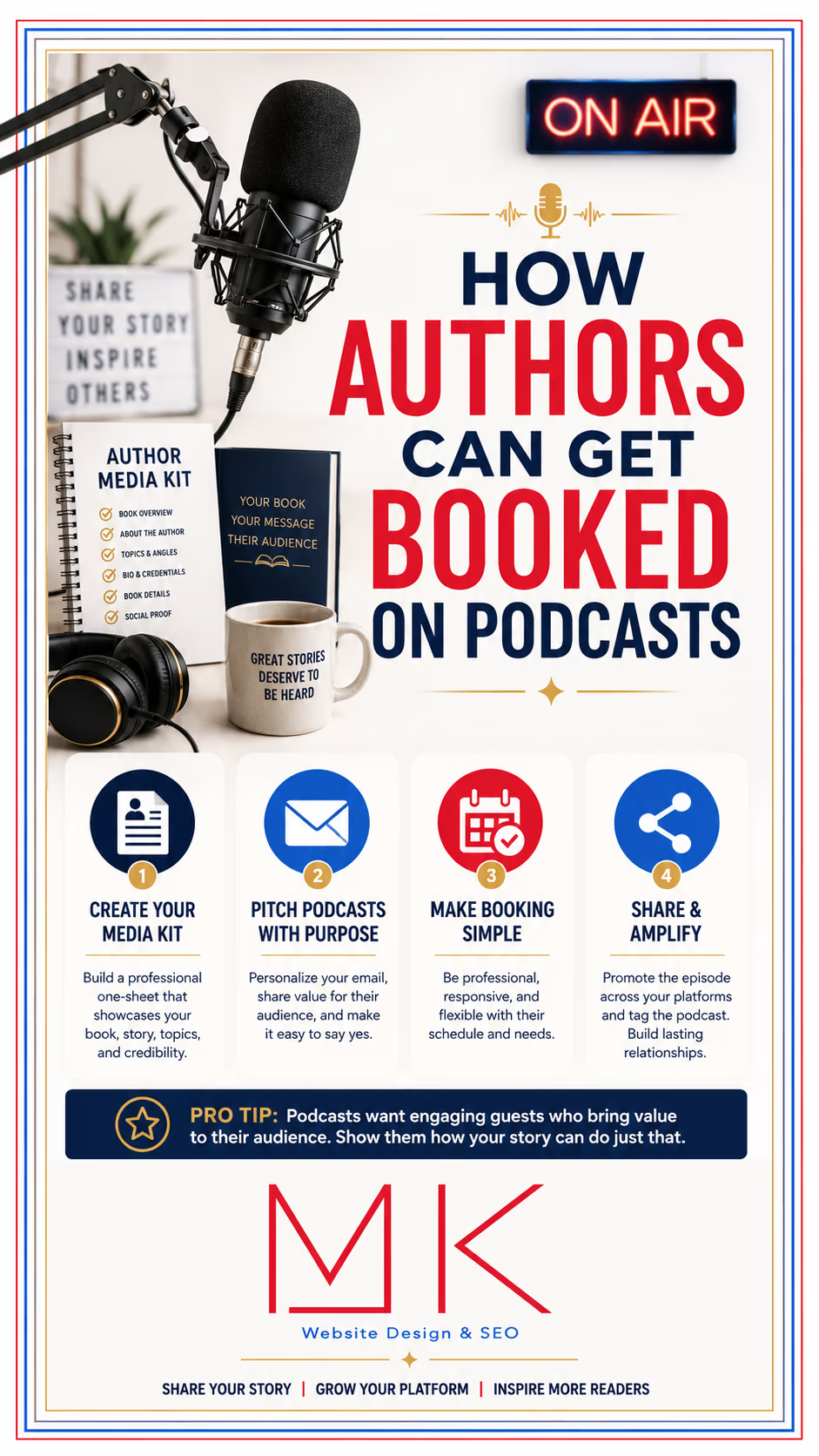
3. Podcast Outreach
Include the media kit when pitching the author as a guest.
Direct the host to:
- Author biography
- Book description
- Interview topics
- Suggested questions
- Book trailer
- Previous appearances
- Contact information
Make it easy for the host to prepare an episode title, guest introduction, description, and promotional graphic.
4. Journalist and Media Outreach
Send the media-kit link with a focused story pitch.
Possible media angles include:
- Local author connection
- Timely subject matter
- Personal transformation
- Professional expertise
- Historical anniversary
- Community issue
- Cultural relevance
- Award recognition
- Upcoming event
- Unusual inspiration behind the book
The pitch should explain why the story matters to that outlet’s audience.
5. Book Review Outreach
Provide reviewers with:
- Book overview
- Genre
- Page count
- Publication date
- Author biography
- Review-copy information
- Content considerations
- Purchase link
- Contact information
Follow each reviewer’s submission guidelines. Some reviewers want a one-sheet, while others prefer the complete media kit or information pasted directly into a submission form.
6. Bookstores
Use the book one-sheet when requesting:
- Book signings
- Local-author placement
- Consignment consideration
- Special orders
- Event participation
- Staff review
- Community programming
Bookstores may be particularly interested in:
- ISBN
- Retail price
- Distributor
- Returnability
- Publication date
- Genre
- Local connection
- Promotional support
- Expected attendance
- Previous events
Customize the outreach instead of sending a generic message to every store.
7. Libraries
Share the one-sheet or media kit when proposing:
- Author talks
- Readings
- Workshops
- Book-club programs
- Children’s events
- Local-history presentations
- Community discussions
- Collection consideration
Libraries may need complete ordering information and a clear description of the program being offered.
8. Book Clubs
Create a book-club version of the one-sheet containing:
- Book overview
- Themes
- Discussion questions
- Author availability
- Virtual appearance information
- Purchase options
- Website
- Contact information
Share it with:
- Independent book clubs
- Library book clubs
- Online reading groups
- Workplace book clubs
- School or university groups
- Community organizations
9. Virtual Book Tours
Provide the media kit to:
- Tour organizers
- Book bloggers
- Interviewers
- Reviewers
- Podcast hosts
- Bookstagrammers
- BookTok creators
- Online magazines
The kit helps every tour participant use consistent descriptions, photographs, links, and author information.
10. LinkedIn
LinkedIn can be particularly useful for nonfiction authors, speakers, consultants, executives, educators, and subject-matter experts.
Authors can:
- Share the one-sheet as a PDF document post
- Add the media-kit link to a post
- Feature it on their profile
- Share individual pages as images
- Highlight speaking topics
- Announce interviews and events
- Connect the book to professional conversations
LinkedIn currently supports PDF document uploads in posts and as media on profiles. Review LinkedIn’s supported media formats.
Do not post the full media kit repeatedly. Repurpose individual pages and ideas into educational posts.
11. Facebook
Share:
- The media-kit cover
- A “Download the Media Kit” graphic
- Individual review pages
- Interview-topic graphics
- Author biography features
- Speaking-topic graphics
- Book specifications
- Event information
Link back to the Press & Media page on the author’s website.
The full PDF is usually more effective as a website download, while selected pages can become visual Facebook content.
12. Instagram
Instagram is a visual platform, so convert media-kit pages into:
- Carousel posts
- Story slides
- Review graphics
- Author introductions
- Interview-topic graphics
- Book specification cards
- Award announcements
- Media-feature posts
- Reel covers
Place the downloadable media-kit link in the author’s bio or link page.
Do not attempt to fit the entire media kit into one image. Break it into readable, visually focused content.
13. Pinterest
Create Pins linking to the author’s Press & Media page.
Possible Pin topics include:
- Official media kit
- Book overview
- Author biography
- Book trailer
- Editorial reviews
- Interview topics
- Book-club guide
- Speaking topics
- Download the one-sheet
Use vertical graphics with readable titles and a direct website link.
14. Media and Speaker Directories
Upload or link the media kit when creating profiles on:
- Podcast guest directories
- Speaker directories
- Author directories
- Professional associations
- Literary organizations
- Conference portals
- Event platforms
- Local business directories
Keep the kit updated so directory visitors receive current information.
15. Book Festivals and Conferences
Use printed or digital one-sheets when applying for:
- Author panels
- Vendor tables
- Workshops
- Readings
- Speaking sessions
- Book signings
- Educational presentations
Add a QR code leading to the complete media kit or book page.
Bring printed one-sheets to networking events, but also have a digital version available for immediate follow-up.
16. Schools, Universities, and Professional Organizations
A media kit can support proposals for:
- Classroom visits
- Guest lectures
- Professional training
- Continuing education
- Panel discussions
- Curriculum-related events
- Community programs
- Organizational book clubs
Customize the kit or outreach to emphasize the material most relevant to the organization.
17. Printed Marketing Materials
Use a QR code linking to the media kit on:
- Bookmarks
- Postcards
- Flyers
- Event posters
- Table signs
- Business cards
- Press releases
- Conference handouts
- Book-signing materials
Avoid printing the full media kit unless someone needs a physical copy. A one-sheet is usually more practical for in-person distribution.
18. Cloud Storage and Shareable Links
Maintain an organized folder containing:
- Current media kit
- Book one-sheet
- Book cover
- Author headshots
- Book trailer link
- Press release
- Biographies
- Review quotations
- Publisher logo
- Promotional graphics
Set the permissions so recipients can view or download the approved files without requesting access.
Do not place private contracts, personal information, unpublished manuscripts, or unrestricted original design files in the public folder.
Step 20: Repurpose the Media Kit Into Marketing Content
A media kit can become a library of promotional content.
Turn individual sections into:
- Social media graphics
- Blog posts
- Newsletter features
- Author introduction posts
- Review graphics
- Speaking-topic posts
- Interview-question videos
- Quote cards
- Book-club promotions
- Event flyers
- Pinterest Pins
- LinkedIn document posts
- Short-form videos
- Media announcements
For example, one page featuring five interview topics can become five separate social posts.
Step 21: Create a Distribution Schedule
Do not wait for someone to ask for the media kit.
A simple distribution plan might include:
Before Publication
- Add the kit to the author website.
- Send it to early reviewers.
- Begin podcast outreach.
- Contact bookstores and libraries.
- Prepare launch-event proposals.
During Launch
- Share the download graphic.
- Include the kit in media pitches.
- Provide it to virtual-tour participants.
- Add it to event and interview confirmations.
- Feature individual pages on social media.
After Launch
- Update reviews and awards.
- Continue podcast outreach.
- Pitch seasonal and timely angles.
- Use it for book clubs and speaking opportunities.
- Add new interviews and press coverage.
- Refresh the one-sheet for future events.
Step 22: Keep the Media Kit Updated
Review the media kit regularly.
Update it when the author receives:
- A new editorial review
- An award
- Bestseller recognition
- Major media coverage
- A new interview
- A revised book edition
- New purchase links
- A new author photograph
- A new website
- New contact information
- A new speaking topic
Add a revision date to the internal filename or document notes so you can confirm which version is current.
Remove outdated event dates, broken links, old photographs, unavailable purchase options, and expired contact information.
Common Media-Kit Mistakes to Avoid
Including Too Much Text
A media kit should be informative without becoming difficult to scan.
Using Low-Resolution Images
Media professionals need clear, downloadable photographs and book covers.
Forgetting Contact Information
The recipient should immediately understand whom to contact.
Using Incorrect ISBNs
Verify every edition and format.
Sending Large Unsolicited Attachments
Use a website or shareable link unless an attachment is requested.
Providing No Interview Angles
Make it easy for a host or journalist to understand the conversation available.
Forgetting Clickable Links
The PDF should connect recipients to the website, book page, trailer, email, and media coverage.
Using an Outdated Version
Remove old files and keep one clearly identified current version.
Making the Design More Important Than the Information
The media kit must remain readable and practical.
Sending the Same Pitch to Everyone
Customize the message for each podcast, reviewer, bookstore, library, journalist, or organization.
Author Media-Kit Checklist
Before publishing, confirm that the media kit includes:
- Professional cover page
- Book cover
- Book title and author
- One-sentence hook
- Book description
- Book specifications
- ISBNs
- Publication date
- Available formats
- Author biography
- Professional author photograph
- Editorial reviews
- Awards and recognition
- Interview topics
- Suggested interview questions
- Speaking topics
- Previous media coverage
- Book trailer link
- Purchase information
- Website
- Social media links
- Contact information
- Clickable links
- Working QR codes
- Proofread and verified details
- Compressed website and email version
- High-resolution image folder
- Book one-sheet
Make It Easy for Others to Promote Your Book
A professional media kit or book one-sheet is more than a collection of information. It is a practical marketing tool that helps authors present their book clearly, build credibility, and create opportunities.
When journalists, podcast hosts, reviewers, bookstores, libraries, book clubs, and event organizers can quickly access accurate information, they are better equipped to feature the author and promote the book.
MK Marketing creates professional author media kits, book one-sheets, press pages, book trailers, websites, outreach campaigns, virtual book tours, and promotional graphics designed to help authors reach readers and media professionals.
Your book has a story. Your media kit makes that story easier to share.