Creating a Facebook business Page is an important first step for building awareness, connecting with customers, and giving your business a professional presence on social media.
But after the Page is created, many business owners face the same question:
How do I get people to follow it?
Inviting friends and family is one of the simplest ways to begin. These early supporters can help your Page look active, provide initial engagement, share your content, and introduce your business to people beyond your immediate network.
However, invitations alone will not create long-term growth. A successful Facebook Page needs a complete profile, useful content, regular activity, genuine conversations, and a clear reason for people to continue following.
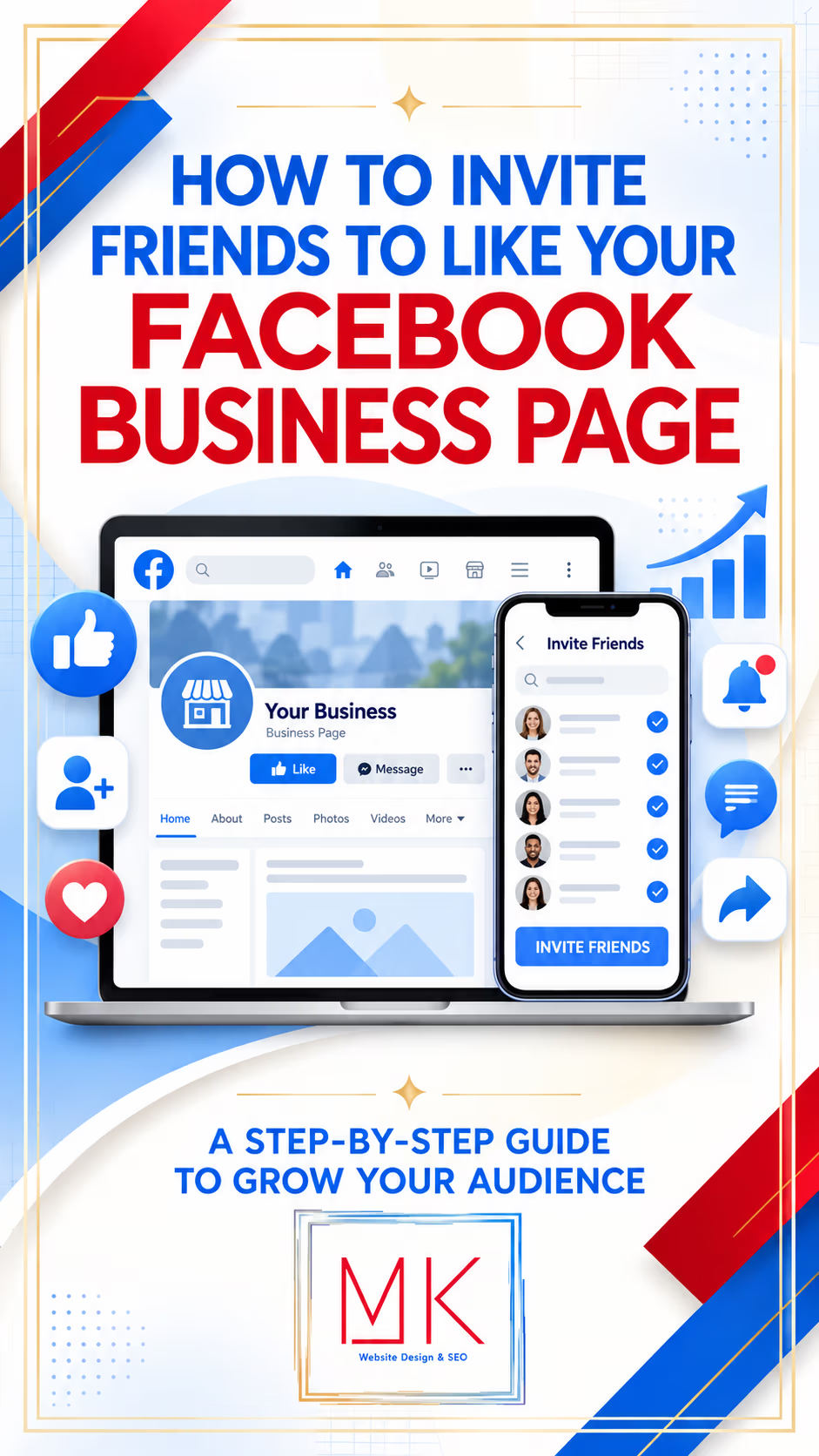
In this step-by-step guide, MK Marketing explains how to invite friends and family to like or follow your Facebook business Page, what to do before sending invitations, and how to use Facebook best practices to grow an audience that is genuinely interested in your business.
Important note: Facebook increasingly uses the word Follow rather than Like for Pages. Depending on your device, Page type, location, and version of Facebook, you may see Invite friends, Invite friends to follow, Like, or Follow. The purpose is similar: encouraging people to connect with the Page and see its public content.
Why Invite Friends and Family to Your Facebook Page?
Friends and family may not all become customers, but they can still help establish the Page.
Early supporters may:
- Follow the Page
- React to posts
- Leave encouraging comments
- Share announcements
- Recommend the business
- Tag people who may need the service
- Attend events
- Participate in early promotions
- Provide testimonials when they have used the business
- Help new visitors feel that the Page is active and credible
This early momentum is valuable, but follower count should not become the only goal. Ten people who care about your business, engage with your content, and recommend you can be more valuable than hundreds of disconnected followers.
The objective is not simply to collect likes. It is to begin building a relevant community.
Before You Invite Anyone: Prepare the Page
Do not invite everyone to an empty or incomplete Page.
When someone receives an invitation, they may visit the Page before deciding whether to follow. The Page should immediately explain who you are, what you offer, whom you help, and what followers can expect.
Step 1: Add a Recognizable Profile Picture
Use a clear, high-quality image such as:
- Business logo
- Professional headshot for a personal brand
- Recognizable storefront logo
- Branded icon
- Book or author logo when appropriate
The profile picture appears beside posts and comments, so it must remain identifiable when displayed at a small size.
Avoid using a crowded advertisement, a full paragraph, or an image with tiny text.
Step 2: Create a Professional Cover Image
The cover image should reinforce the business identity and may include:
- Business name
- Short tagline
- Primary service or product
- Website address
- Signature offer
- Current campaign
- Professional branded photograph
Keep important text and faces away from the extreme edges because Facebook may crop the cover differently on desktop and mobile.
Step 3: Complete the About Information
Add accurate information such as:
- Business description
- Category
- Website
- Phone number
- Email address
- Business address, when relevant
- Service area
- Business hours
- Products or services
- Username and Page URL
Meta explains that Facebook Pages can display business details such as address, phone number, hours, and categories. Pages can also use an action button to encourage visitors to take a next step. Review Meta’s overview of Facebook Pages.
Step 4: Choose a Clear Action Button
Select the action that best supports your business goal, when available.
Possible options may include:
- Contact Us
- Learn More
- Call Now
- Send Message
- Sign Up
- Book Now
- Shop Now
- Order Now
Connect the button to the correct webpage, phone number, booking system, store, or messaging destination. Test it on both desktop and mobile.
Step 5: Publish Several Strong Posts
Before sending invitations, publish at least three to five useful posts so visitors can understand the value of following.
Consider starting with:
- A welcome post introducing the business
- A post explaining the primary product or service
- A helpful tip related to the customer’s needs
- A testimonial, review, or success story
- A behind-the-scenes or personal introduction
Meta notes that new and frequent posts help show that a business is active and legitimate. Learn about Facebook Page posts.
Step 6: Pin an Introduction Post
Pin a strong welcome post near the top of the Page.
It should answer:
- Who are you?
- What does the business provide?
- Who do you help?
- What makes the business different?
- What should the visitor do next?
End with a simple invitation such as:
Follow our Page for practical tips, business updates, new products, events, and special announcements.
How to Invite Friends to Follow Your Facebook Business Page
Facebook’s menus change periodically, and the exact labels can vary. Meta’s current Help Center directs Page owners to go to the Page, open its options, choose Invite friends, select people, and send the invitations. See Facebook’s current invitation instructions.
Method 1: Invite Friends From the Facebook Mobile App
The mobile app is often the easiest method.
Step 1: Open Facebook
Open the Facebook app and sign in to the personal account that has access to the business Page.
Step 2: Open the Menu
Tap your profile picture or the Menu icon. Its location may differ between iPhone and Android versions.
Step 3: Select Pages
Tap Pages, and then select the business Page you want to grow.
If Facebook asks you to switch into the Page, follow the prompt.
Step 4: Open the Page Options
Look below the Page name or cover image for an options button, three-dot menu, or Manage area.
Step 5: Select Invite Friends
Tap Invite friends or Invite friends to follow.
Step 6: Choose the Friends You Want to Invite
Select individual friends or use Facebook’s available selection tools.
Do not feel obligated to invite every person on your friend list. Begin with people who:
- Know you or the business
- Are likely to support your work
- Could genuinely benefit from the content
- Live in the service area
- Share interests with the target audience
- Have asked to stay informed
- May recommend the business to others
Step 7: Send the Invitations
Tap Send invites or the equivalent confirmation button.
Invited friends will receive a Facebook notification. They decide whether to follow the Page.
Method 2: Invite Friends From a Desktop Computer
Facebook’s desktop layout changes frequently, but the general process is similar.
Step 1: Sign In to Facebook
Use the personal Facebook profile that manages or has authorized access to the business Page.
Step 2: Go to the Business Page
Select Pages from the menu, open the appropriate Page, and switch into the Page if Facebook prompts you.
Step 3: Find the Invitation Option
Look for one of the following:
- Invite friends
- Invite friends to follow
- Promote
- Grow your audience
- Three-dot options menu
- Page management tools
The option may appear below the cover image, beneath the Page name, or inside the professional dashboard.
Step 4: Select Friends
Choose the people you want to invite. Facebook may allow you to search by name or filter the list.
Step 5: Send Invitations
Review the selections and click Send invites.
What If You Cannot Find “Invite Friends”?
Try the following:
- Confirm that you have Facebook access or the necessary Page permissions.
- Make sure you are viewing the correct Page.
- Switch between your personal profile and the Page profile.
- Look inside the three-dot menu or professional dashboard.
- Update the Facebook mobile app.
- Try both the mobile app and desktop browser.
- Log out and sign in again.
- Clear the browser cache or try another browser.
- Confirm that you have not already invited the selected friends.
- Wait and try again if Facebook has temporarily limited the feature.
Facebook may limit invitations or other actions when activity appears unusually fast or repetitive. Avoid third-party automation, repeated mass actions, or any tool that promises to invite people automatically.
Should You Invite Every Facebook Friend?
Usually, no.
A large personal friend list may contain former classmates, distant acquaintances, relatives, professional contacts, neighbors, or people with no connection to the business.
Inviting everyone may increase the follower number, but it can also create an audience that rarely interacts. That makes it harder to learn which content genuinely interests potential customers.
Use a thoughtful approach.
Invite These People First
- Loyal customers
- Supportive family members
- Close friends
- Professional contacts
- Referral partners
- Local community connections
- People who have expressed interest
- People who match the intended audience
Consider Skipping
- People you do not recognize
- Contacts who live outside a strictly local service area and have no relevant interest
- People who have asked not to receive business promotions
- Former contacts with whom an invitation would feel intrusive
- Anyone you are inviting only to inflate the number
Quality matters more than volume.
Add a Personal Message to the Invitation
Facebook’s standard invitation is easy to overlook because it arrives as a notification without much context.
For close friends, family members, customers, and professional contacts, consider sending a short personal message separately.
Do not copy and paste the exact same message to hundreds of people. Personalize it and send it only when the relationship makes the request appropriate.
Sample Message for Friends and Family
Hi [Name]! I recently created a Facebook Page for [Business Name]. I’ll be sharing helpful tips, business updates, new services, and upcoming announcements. If you would like to support the business, I would appreciate you following the Page. There is absolutely no pressure—I simply wanted to invite you personally. Here is the link: [Facebook Page link]
Sample Message for Customers
Hi [Name]! Thank you again for supporting [Business Name]. We are now sharing helpful information, updates, and special announcements on our Facebook Page. If you would like to stay connected, you can follow us here: [Facebook Page link]
Sample Message for Professional Contacts
Hi [Name], I wanted to share the Facebook Page for [Business Name]. We’ll be posting resources and updates about [topic or service]. Since our work overlaps in this area, I thought the content might be useful to you. You can follow the Page here if interested: [Facebook Page link]
Sample Post for Your Personal Profile
I’m excited to invite you to follow the official Facebook Page for [Business Name]!
We’ll be sharing [tips, resources, products, events, news, or special offers]. If this is something that interests you—or if you know someone who may benefit—I would be grateful for your follow or share.
Visit the Page here: [Facebook Page link]
Ask Friends and Family for More Than a Like
A Page follow is helpful, but genuine engagement can introduce your content to more people.
Ask your strongest supporters to help in meaningful ways when appropriate:
- React to a post they genuinely enjoy
- Leave a thoughtful comment
- Share a relevant post
- Tag someone who would benefit
- Recommend the business
- Leave an honest review or recommendation if they are a real customer
- Respond to a poll or question
- Attend or share a Facebook event
Do not ask people to leave fake reviews or post repetitive comments. Authentic engagement is more valuable and protects the credibility of the business.
Invite People Who Engage With Your Posts
As your content reaches new people, check who reacts to each post.
Depending on the Page and Facebook interface, you may see an Invite button beside people who reacted but do not yet follow the Page.
To check:
- Open a Page post.
- Click or tap the reaction count.
- Review the list of people who reacted.
- Look for Invite beside eligible names.
- Invite only the people Facebook identifies as eligible.
This can be more effective than inviting random contacts because these people have already shown interest in the content.
Availability varies by Page, post, account, and interface. If the Invite button does not appear, the person may already follow the Page or may not be eligible for an invitation.
Facebook Best Practices for Growing a Business Page
Inviting friends and family creates an initial audience. Consistent, useful content gives that audience a reason to stay—and gives new people a reason to join.
1. Know Exactly Who the Page Is For
Do not try to speak to everyone.
Define:
- Ideal customer
- Location
- Age range when relevant
- Primary needs
- Questions they ask
- Problems the business solves
- Interests related to the product or service
- Reasons they use Facebook
Every post should be created with a specific person and purpose in mind.
2. Give People a Reason to Follow
People rarely follow a business because it exists. They follow because the Page provides something useful, interesting, entertaining, reassuring, or meaningful.
Possible reasons include:
- Helpful tips
- Educational resources
- Local information
- New-product announcements
- Exclusive offers
- Behind-the-scenes access
- Inspiring stories
- Industry updates
- Tutorials
- Events
- Community conversations
Write a simple follower promise:
Follow our Page for [specific benefit] that helps you [desired result].
3. Post Consistently
An inactive Page gives visitors little reason to follow.
Meta recommends posting consistently and testing content that the audience wants to see. It also advises against clickbait. Review Meta’s recommendations for improving reach.
There is no single perfect posting frequency for every business. Begin with a schedule you can maintain—for example, three to five quality posts per week—and adjust according to performance.
Consistency is more important than posting many times for one week and then disappearing for a month.
4. Create a Balanced Content Mix
Avoid turning every post into an advertisement.
A healthy content plan may include:
- Educational posts
- Frequently asked questions
- Customer stories
- Testimonials
- Behind-the-scenes content
- Team introductions
- Product demonstrations
- Service explanations
- Before-and-after results, when appropriate
- Seasonal content
- Community features
- Polls and questions
- Short videos
- Reels
- Blog links
- Events
- Occasional promotional offers
Use sales posts, but surround them with content that helps people know, like, and trust the business.
5. Use High-Quality Visuals
Strong images and videos help posts attract attention.
Use:
- Consistent brand colors
- Clear typography
- High-resolution photographs
- Readable text
- Correct image dimensions
- Recognizable products
- Real people when appropriate
- Captions on videos
- A strong focal point
Meta’s Page-post guidance recommends high-quality creative, actionable posts, audience awareness, clear messages, and dynamic content. Review Meta’s Page-post best practices.
6. Make Each Post Easy to Understand
Do not make people work to discover the point.
A strong post usually contains:
- A clear opening hook
- One primary message
- Useful or interesting information
- A relevant visual
- One next step
Possible calls to action include:
- Tell us what you think.
- Save this tip.
- Share this with someone who needs it.
- Visit our website.
- Send us a message.
- Book an appointment.
- Read the full article.
- Register for the event.
- Follow for more tips.
Do not force engagement with misleading promises or unrelated questions.
7. Use More Video and Reels
Short videos can introduce the business, demonstrate a product, answer a question, share a customer story, or provide a quick tip.
Ideas include:
- Meet the owner
- One-minute tutorial
- Frequently asked question
- Before-and-after transformation
- Product demonstration
- Day in the business
- Customer success story
- New service announcement
- Event invitation
- Three quick tips
Add captions because many people watch with the sound off. Place the most important message near the beginning.
8. Respond to Comments and Messages
Growth is not only about publishing. It is about participating.
Respond to:
- Questions
- Comments
- Reviews
- Recommendations
- Direct messages
- Tags and mentions
Meta recommends responding to audience engagement and adjusting activity based on follower behavior. See Meta’s Page-engagement guidance.
Do not use the same generic response for everyone. A genuine conversation creates a stronger impression than a copied reply.
9. Ask Questions That Invite Real Conversation
Good questions help you learn about your audience.
Examples:
- What is your biggest challenge with [topic]?
- Which option would you choose?
- What would make this service more useful?
- What questions do you have about [subject]?
- Which tip has worked best for you?
- What should we demonstrate next?
Avoid unrelated engagement bait. The question should connect naturally to the business and post.
10. Share the Page Outside Facebook
Add the Facebook Page link to:
- Business website
- Email signature
- Newsletter
- Blog
- Online store
- Google Business Profile when appropriate
- Printed marketing materials
- Business cards
- Flyers
- Event materials
- QR codes
- Receipts or packaging
- Other social profiles
People who already know the business through another channel are often strong potential followers.
11. Collaborate With Relevant Businesses and Organizations
Build relationships with complementary businesses, local organizations, nonprofits, associations, event hosts, and community leaders.
Collaboration ideas include:
- Joint Facebook Live
- Shared event
- Educational interview
- Community giveaway following platform rules
- Partner spotlight
- Cross-promotion
- Guest tip
- Local resource guide
Choose partnerships that provide value to both audiences rather than exchanging empty follows.
12. Participate in Facebook Groups Carefully
Join relevant local, professional, customer, or interest-based groups when appropriate.
Before posting:
- Read the group rules
- Confirm whether business promotion is permitted
- Contribute useful information
- Answer questions honestly
- Avoid copying the same promotional post into many groups
- Disclose your business connection
Some groups allow participation as a Page, while others require a personal profile. Facebook allows Pages to act in eligible groups when the group’s settings permit it. Learn about acting as a Page in Facebook groups.
The goal is to become a helpful participant—not a drive-by advertiser.
13. Schedule Content With Meta Business Suite
Planning content in advance makes consistency easier.
Meta Business Suite allows eligible businesses to create and schedule Facebook and Instagram content. Meta’s current instructions direct users to create content, choose scheduling options, and select the publication date and time. Review Meta’s scheduling guidance.
Use scheduling to prepare:
- Weekly tips
- Blog promotions
- Events
- Product features
- Testimonials
- Seasonal posts
- Reels
- Stories
Continue checking the Page after scheduled posts publish so you can respond to comments and messages.
14. Study Facebook Insights
Do not guess forever.
Use Insights to evaluate:
- Page views
- Reach
- Follower growth
- Post engagement
- Video views
- Link clicks
- Audience information
- Strongest content topics
- Best-performing formats
- Organic and paid results
Meta Business Suite provides Page and audience insights that can help businesses understand performance and follower activity. Learn about Facebook Page Insights and audience insights.
Look for patterns over several weeks rather than making a decision from one post.
15. Post When Your Audience Is Active
Generic “best time to post” charts cannot know your specific customers.
Use your Page Insights to see when the audience is active, and remember that followers may live in different time zones. Meta specifically recommends reviewing audience activity rather than relying solely on assumptions. Review Meta’s engagement recommendations.
Test several days and times, then compare results.
16. Build an Email List Too
Your Facebook audience exists on a platform you do not control. Algorithms, tools, and account access can change.
Encourage followers to join an email list by offering:
- Helpful guide
- Checklist
- Discount
- Webinar
- Newsletter
- Free consultation
- Event registration
- Downloadable resource
Use Facebook to begin the relationship, then provide another permission-based way to stay connected.
17. Consider Paid Promotion Strategically
Paid advertising can help a Page reach targeted audiences, but do not pay merely to increase a vanity number.
Consider promoting:
- Strong educational content
- Lead magnet
- Event
- Product
- Service
- Website offer
- Successful organic post
Build the Page, tracking, offer, and follow-up process before spending heavily.
Do not buy followers. Purchased or low-quality followers rarely become customers and can make performance data less useful.
A Simple 30-Day Facebook Page Growth Plan
Week 1: Build the Foundation
- Complete every Page detail.
- Add the profile and cover images.
- Create or confirm the username.
- Add the action button.
- Publish the welcome post.
- Publish three to five useful posts.
- Pin the strongest introduction.
- Test every link.
Week 2: Invite the First Audience
- Invite relevant friends and family.
- Send personal messages to close supporters.
- Share the Page once from your personal profile.
- Add the Page link to your email signature.
- Add it to the business website.
- Ask team members to follow and share when appropriate.
- Respond to every genuine comment and message.
Week 3: Expand Beyond Your Network
- Publish a short video or Reel.
- Share a customer story or testimonial.
- Ask a relevant question.
- Participate helpfully in appropriate groups.
- Collaborate with another business or organization.
- Check post reactions for eligible people to invite.
- Promote an email signup or useful resource.
Week 4: Review and Improve
- Open Meta Business Suite Insights.
- Identify the strongest three posts.
- Compare topics, formats, posting times, and calls to action.
- Repeat the elements that performed well.
- Remove or update outdated information.
- Schedule the next two weeks of content.
- Set a meaningful next-month goal.
Possible goals include:
- Increase qualified followers
- Generate website visits
- Receive more messages
- Increase event registrations
- Collect email subscribers
- Generate consultations
- Increase purchases
What Should You Measure?
Follower growth matters, but it does not tell the complete story.
Track:
- New followers
- Unfollows
- Reach
- Engagement
- Comments
- Shares
- Saves when available
- Video watch time
- Link clicks
- Website traffic
- Messages
- Phone calls
- Email signups
- Appointments
- Leads
- Sales
The best metric depends on the business goal.
A post that receives fewer likes but generates three qualified inquiries may be more valuable than a post with dozens of reactions and no action.
Common Facebook Page Growth Mistakes
Inviting People to an Empty Page
Give visitors useful content before asking them to follow.
Inviting Everyone Without Considering Relevance
Build an audience connected to the business rather than chasing a large number.
Posting Only Advertisements
Teach, help, entertain, inform, and connect—not only sell.
Disappearing for Long Periods
Use a realistic schedule and Meta Business Suite to stay consistent.
Ignoring Comments and Messages
Engagement requires a response.
Posting Low-Quality Graphics
Poor visuals can damage trust. Use professional, readable, correctly sized creative.
Sharing the Same Content Repeatedly Without Adaptation
Repurpose ideas, but change the hook, format, example, visual, or call to action.
Using Too Many Calls to Action
Ask for one clear next step instead of asking people to like, comment, share, click, buy, subscribe, and call in the same post.
Buying Followers
Artificial growth does not create genuine customers or a healthy community.
Ignoring the Data
Use Insights to learn which subjects and formats resonate.
Facebook Business Page Growth Checklist
Before inviting friends and family, confirm that you have:
- Added a recognizable profile picture
- Created a professional cover image
- Completed the About section
- Added accurate contact information
- Created a Page username
- Added the website
- Selected an appropriate action button
- Tested all links
- Published at least three to five useful posts
- Pinned a welcome or introduction post
- Defined the target audience
- Written a clear reason to follow
- Selected relevant friends and family
- Prepared a personal invitation message
- Shared the Page appropriately from your profile
- Added the Page link to your website and email signature
- Created a sustainable posting schedule
- Planned a balanced content mix
- Scheduled content in Meta Business Suite
- Established a response routine
- Reviewed Page Insights
- Selected business-focused performance goals
Begin With People You Know—Then Grow Through Value
Inviting friends and family can give a new Facebook business Page the encouragement and early activity it needs. But sustainable growth comes from what happens after those invitations are sent.
A complete Page builds trust. Consistent content creates visibility. Helpful information gives people a reason to follow. Genuine conversations turn followers into relationships. Clear calls to action help those relationships become inquiries, appointments, registrations, referrals, or sales.
Start with the people who already know and support you. Then continue earning attention by providing real value to the audience your business wants to serve.
MK Marketing helps authors and small businesses create professional Facebook graphics, social media content, websites, blogs, email campaigns, and customized marketing strategies designed to build visibility and meaningful audience connections.
Your Facebook Page should do more than collect likes. It should help your business become recognizable, trustworthy, and easier to choose.